You can now access our sheet music player in just a couple of taps! We would recommend downloading and installing the app on a tablet for the best experience.

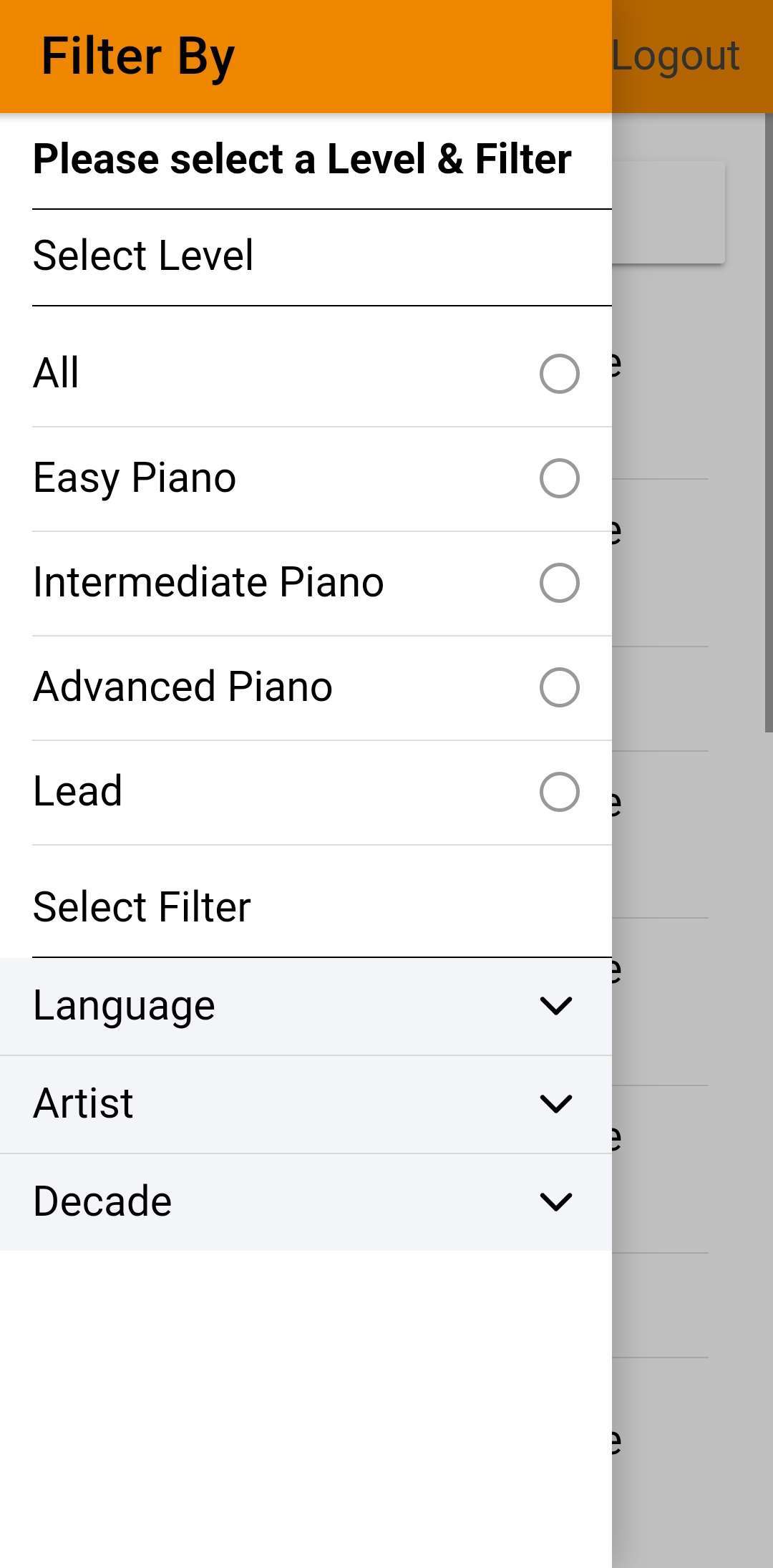
Click the 3 line icon on the top left to view our in-app menu.
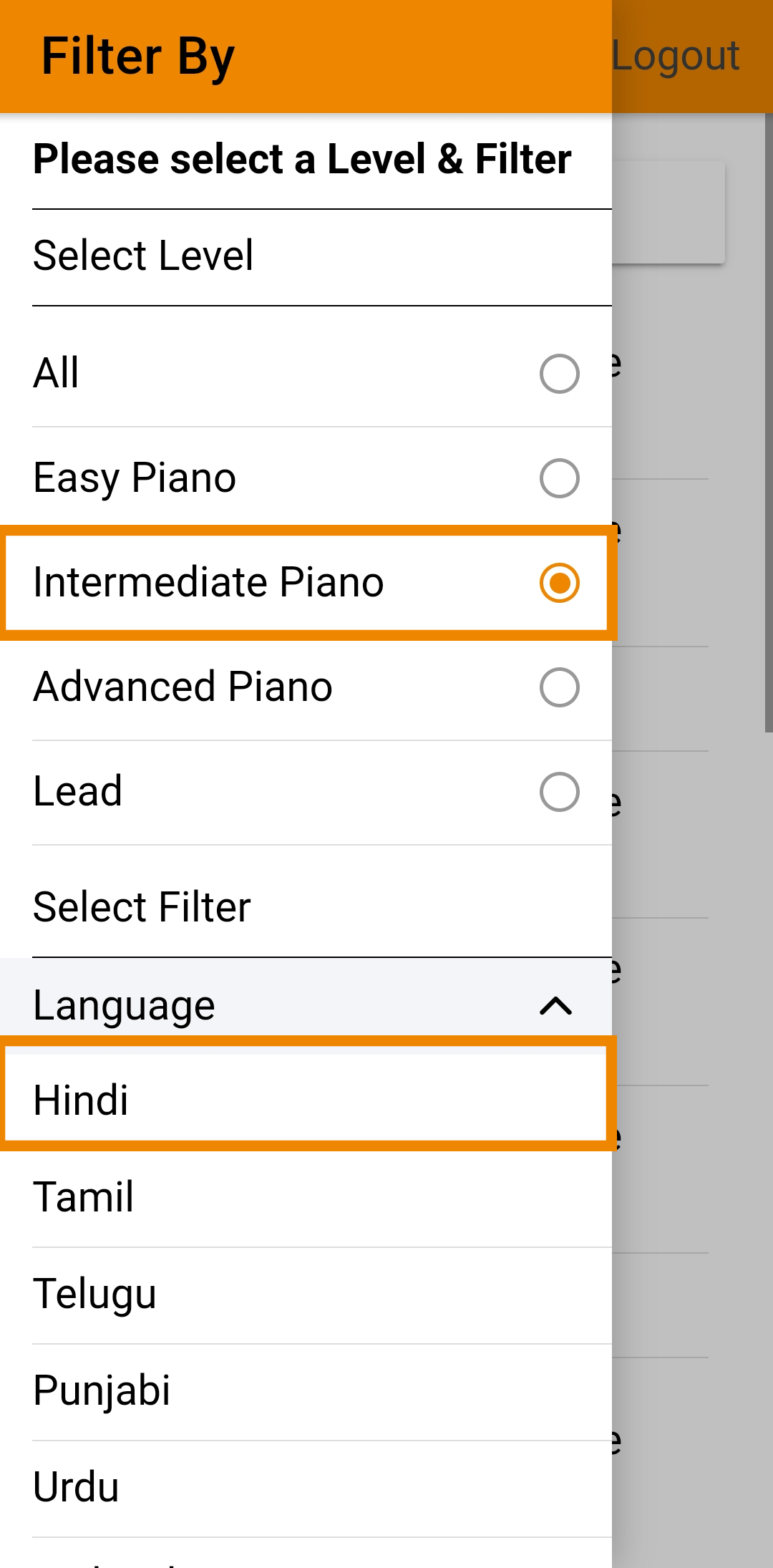
Choose your level and a category under the available filters.
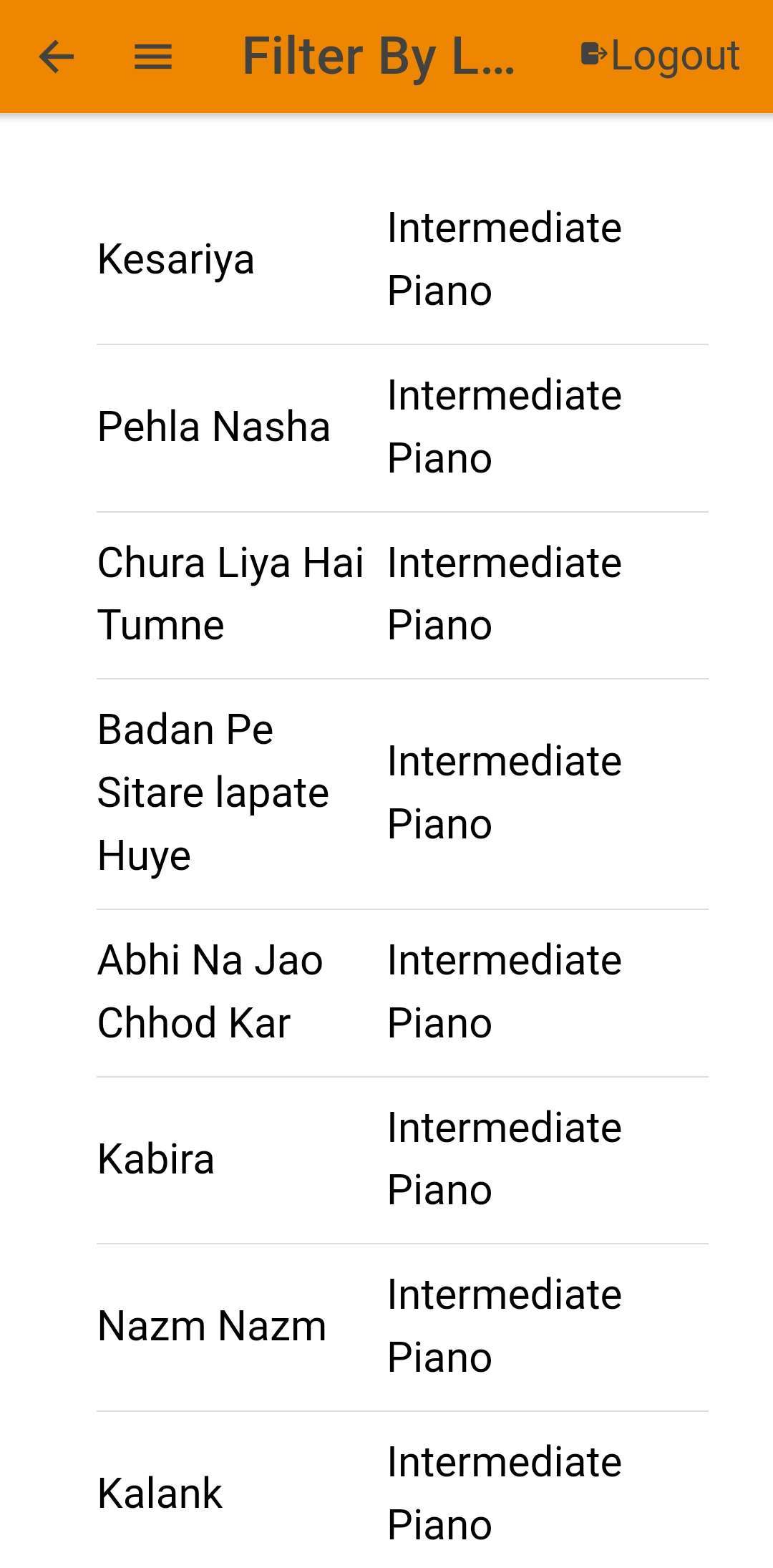
Select a song from the search results.
Bollypiano App
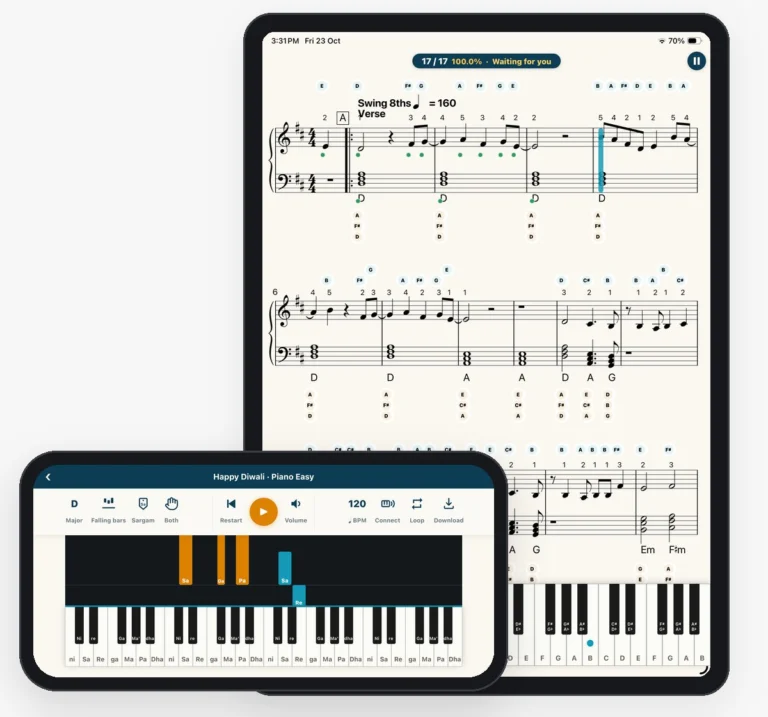
Practice with our interactive sheet music player on iOS or Android. We recommend a tablet for the best experience.


Built for practice
Connect your digital keyboard
The app hears every note you play.
Bluetooth
Connect wirelessly. No cables needed.
Cable
Use your keyboard’s USB cable plus a USB-C or Lightning adapter for your phone or tablet.
Digital alto saxophones work too.
Wait mode
The music waits for you. It only moves on when you play the right note, so you can learn a song at your own pace without falling behind.
Constant mode
Ready to play in time? The music keeps a steady beat and the app grades you on both your note and rhythm accuracy.
Slow it down
Set the tempo that’s comfortable for you, then build up speed.
Loop the tricky part
Repeat one section until it feels easy.
One hand at a time
Practice the right hand, the left hand, or both together.
Make it yours
Change the key
Play any song in the key that suits you or your singer.
Read it your way
Show note names in Western (ABC) or Sargam notation.
One account, everywhere
Already a member?
The app is included. Just log in with your Bollypiano account.
New here?
Start your free trial right in the app.
Getting started
Open the app
Log in with your Bollypiano account, or start your free trial.
Find a song
Choose a song, or search for a song.
Start playing
Connect your keyboard and press play.
FAQs
Does my Bollypiano membership work in the app?
Yes. Log in with the same account and everything is included. There’s nothing extra to pay.
Which devices do the modes work on?
Wait mode and Constant mode work on iPhone, iPad, and Android phones and tablets. They work great on a phone, and even better on a tablet, where you can see more of the music at once.
Which keyboards work?
Any digital keyboard or piano that connects by Bluetooth MIDI or USB.
Do I need a keyboard to use the app?
No. You can read, listen, and follow along without one. To get real-time feedback, connect a digital instrument.
How do I cancel a subscription started in the app?
Subscriptions bought in the app are managed by Apple or Google. On iPhone or iPad, go to Settings, tap your name, then Subscriptions. On Android, open the Google Play Store, tap your profile, then Payments & subscriptions.